Digital Reading Stickers
Couldn't load pickup availability
Digital Product
Instant Download
Seamless Intergation
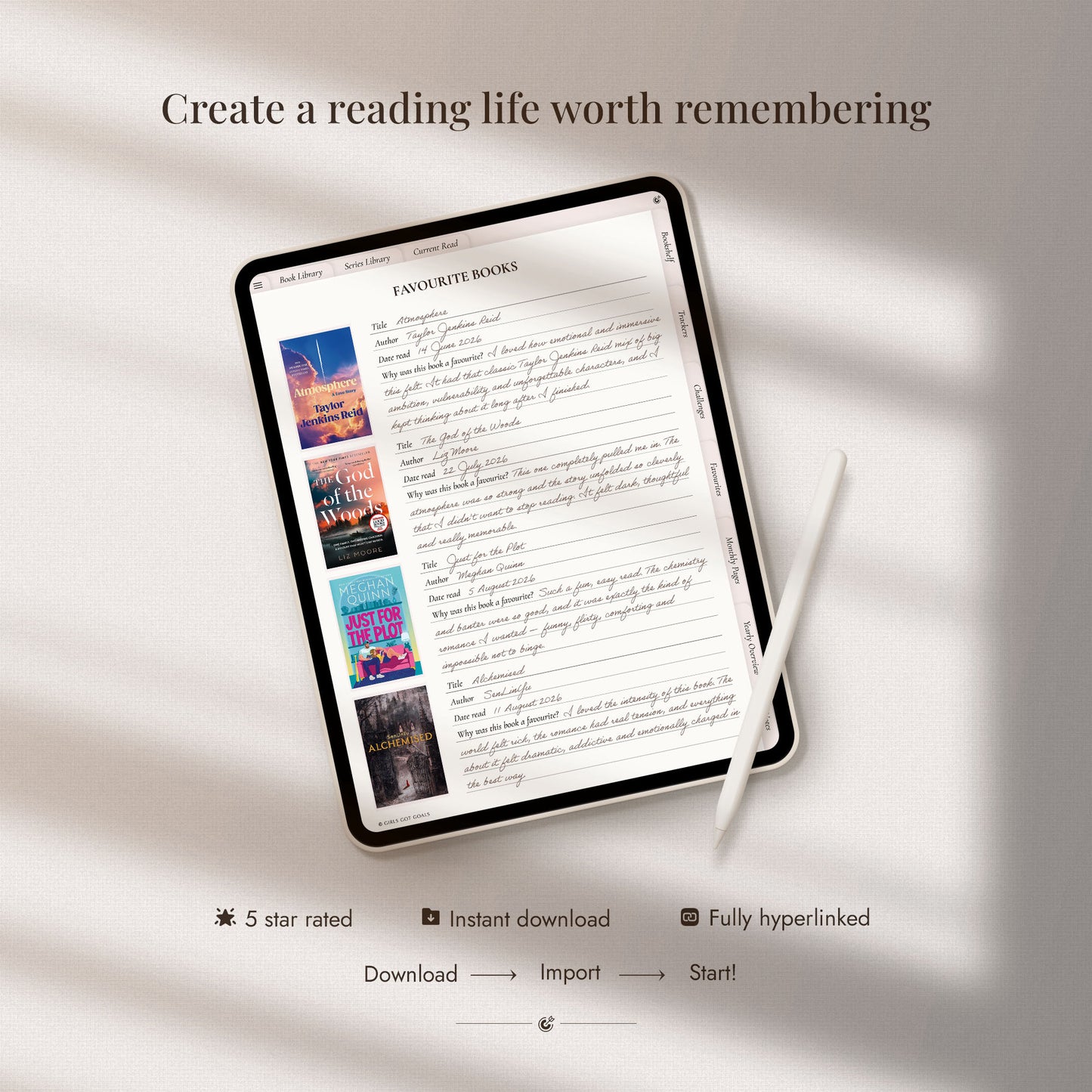
Bring your reading journal to life with the Reading Sticker Book – a cozy and creative collection made for book lovers.
Track your TBR, rate books, highlight quotes, log your moods, and mark your current reads with beautifully designed digital stickers. Whether you’re deep into a series or just starting your reading habit, these stickers make every page feel personal and inspiring.
Perfect for digital journals and planners in GoodNotes, Notability, Samsung Notes, Xodo and all similar note-taking apps.
Your next chapter just got a little more colorful.
Product Features
Product Features
• 🖼️ Hand-Curated Digital Stickers: Aesthetic, functional, and easy to use - perfect for decorating and customizing your digital planners.
• 🧷 Pre-Cropped & Ready to Use: Comes as individual PNG files and a GoodNotes sticker book.
• ✍️ Compatible with All Major Apps: Works seamlessly with GoodNotes, Notability, Samsung Notes, CollaNote, Noteshelf, and all similar note-taking apps apps.
• 📥 Instant Download: Get started decorating your planner right away.
Return Policy
Return Policy
Due to the digital nature of our products, we do not offer refunds or exchanges. Please reach out if you encounter any issues, and we’ll be happy to assist you.
Delivery
Delivery
After purchasing, you will receive a download link in your email. Simply click the link to access your files and save them to your device. If you have any issues with downloading, feel free to contact us for assistance.
FREQUENTLY ASKED QUESTIONS
What are digital planners?
Digital planners are interactive PDF files that you can use on digital devices like tablets, smartphones, or computers. They function like traditional paper planners but offer the convenience of being accessible anytime, anywhere, and come with features like hyperlinks for easy navigation.
How do I use the digital planners?
To use our digital planners, you’ll need a PDF annotation app such as GoodNotes, Notability, Noteshelf, or CollaNote. After purchase, simply import the planner into the app, and you can start planning immediately. Our planners come fully hyperlinked for seamless navigation across pages.
Are your planners compatible with my device?
Yes! Our planners are compatible with any device that supports PDF annotation apps. This includes iPads, Android tablets, and even computers. However, for the best experience, we recommend using the planner on a tablet with a stylus.
Do I need to purchase any additional apps to use the planner?
You will need a PDF annotation app to use the planner effectively. Many of these apps are either free or available for a one-time fee. Popular apps include GoodNotes (iOS), Notability (iOS), Noteshelf (iOS and Android) and Samsung Notes (Android) among others.
Can I print the planner?
While our digital planners are designed for use on digital devices, you can print the pages if you prefer a physical copy. Keep in mind that the interactive hyperlinks will not function on printed versions.
Are your planners customizable?
While the layout and design of the planners are fixed, you can customize your entries, colors (using the PDF app’s tools), and notes as you wish. This allows you to make each planner truly your own!
How do I download my planner after purchase?
After purchasing, you will receive a download link in your email. Simply click the link to access your files and save them to your device. If you have any issues with downloading, feel free to contact us for assistance.
Can I use the digital planners on multiple devices?
Yes! Once you’ve downloaded the planner, you can use it on any compatible device you own. Many PDF annotation apps also offer cloud syncing, so you can access your planner seamlessly across all your devices.
Can I share the planner with someone else?
Our planners are for personal use only. You cannot resell, distribute, or share the files with others. If someone you know is interested in a planner, we kindly ask that you direct them to our store.
Is there a refund or exchange policy?
Due to the digital nature of our products, we do not offer refunds or exchanges once the files have been downloaded. Please reach out if you encounter any issues, and we’ll be happy to assist you.
really really beautiful and very useful
Excellent quality, so easy to use ☺️ 100% recommend
Love the style of these stickers! They make my pages look cute!
I love the style of all of these digital stickers, very easy to add to my Goodnotes
Absolutely adorable and easy to add to my Goodnotes journal!
Great quality, perfect for digital book Journaling
Super easy to upload onto goodnotes! The stickers are so cute!
I’m so excited to use these stickers. I love that it includes people of all shades! To download the stickers to goodnotes was very easy and simple!
Sweet updated stickies for this years book journal.
Everything is just wonderful! I really enjoyed it!
BLOG POSTS
View all-
Aesthetic Digital Planning: How to Make Your Planner Look Pinterest-Perfect
If you love soft, cozy, Pinterest-worthy planner spreads, this guide will show you exactly how to make your digital planner aesthetic. From vision boards to stickers and soft highlights, learn...
Aesthetic Digital Planning: How to Make Your Planner Look Pinterest-Perfect
If you love soft, cozy, Pinterest-worthy planner spreads, this guide will show you exactly how to make your digital planner aesthetic. From vision boards to stickers and soft highlights, learn how to create the beautiful layouts you’ve been pinning on your boards.
-
Digital Planning for Absolute Beginners: A Simple, Friendly Guide to Getting Started
Curious about digital planning but not sure where to start? This simple beginner’s guide walks you through everything from choosing your app to setting up your first planner page. Perfect...
Digital Planning for Absolute Beginners: A Simple, Friendly Guide to Getting Started
Curious about digital planning but not sure where to start? This simple beginner’s guide walks you through everything from choosing your app to setting up your first planner page. Perfect for iPad, Android, or laptop users.
-
How to Use a Digital Budget Planner to Take Control of Your Money
Tired of feeling disorganized with money? This guide walks you through how to use a digital budget planner to track spending, manage bills, and actually stick to your savings goals...
How to Use a Digital Budget Planner to Take Control of Your Money
Tired of feeling disorganized with money? This guide walks you through how to use a digital budget planner to track spending, manage bills, and actually stick to your savings goals with easy templates that make budgeting stress-free.
-
How to Use a Fitness Planner to Stay Consistent With Your Goals
If you’ve ever started a workout routine and struggled to stay consistent, you’re not alone. Learn how to use a digital fitness planner to create structure, track progress, and make...
How to Use a Fitness Planner to Stay Consistent With Your Goals
If you’ve ever started a workout routine and struggled to stay consistent, you’re not alone. Learn how to use a digital fitness planner to create structure, track progress, and make fitness part of your lifestyle, one page at a time.