Home → Collections → Everyday Planners → 2026 Digital All-in-One Planner
Undated Digital All-In-One Planner
Couldn't load pickup availability
Instant download
Fully hyperlinked
- Customer support
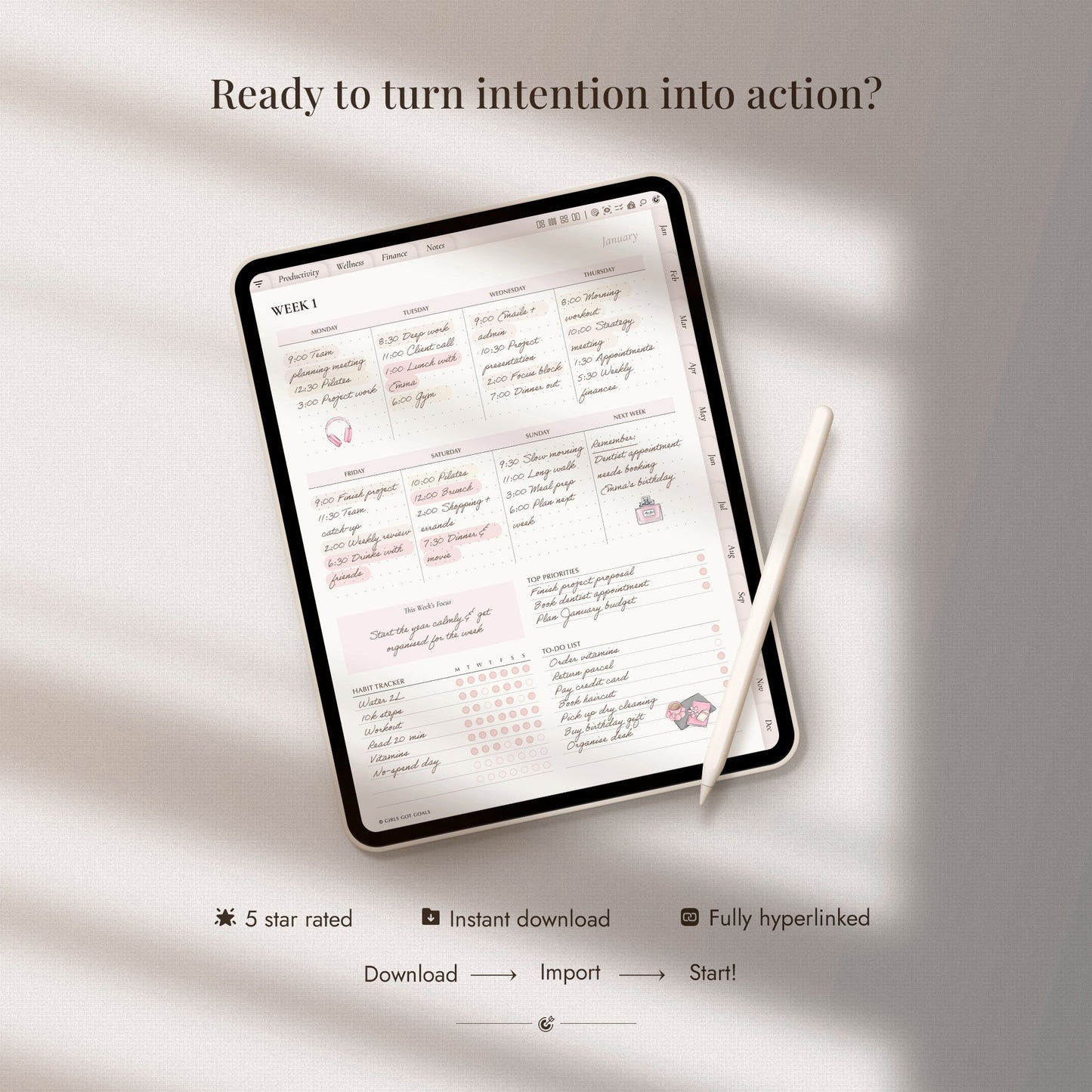
A complete hyperlinked planning system for organising your schedule, goals, wellbeing, finances and everyday life. It's your daily planner for better habits, stronger routines, and a clear, focused mindset. Every page supports your growth through wellness tracking, habit building, clean layouts, and intentional planning.
What you’ll receive
What you’ll receive
- Undated hyperlinked digital planner in PDF format
- Monday-start and Sunday-start versions
- Alternative covers
- Setup and import guide
Compatibility
Compatibility
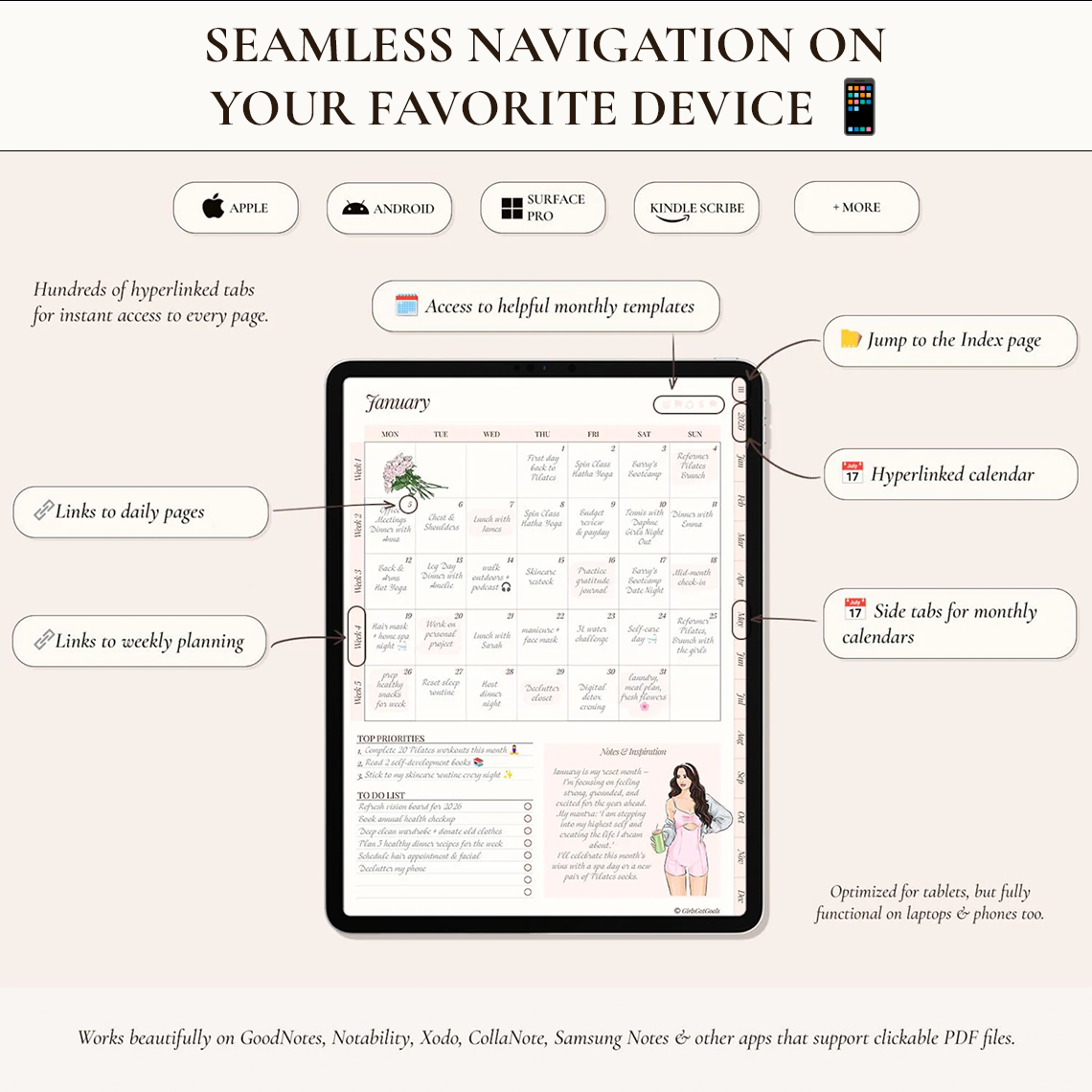
This planner is optimised for use on an iPad, but is also fully functional on other tablets (Android, Surface Pro, Kindle Scribe), laptops, desktop computers and even smart phones. For the most natural handwriting experience, we recommend using the planner on a tablet with a stylus.
A suitable note-taking app is required. Some of these apps are free, others come at a small one-time fee. The planner works with Goodnotes, Notability, Xodo, Samsung Notes and all other planning apps that support PDF annotation and internal hyperlinks.
A step-by-step setup guide is included with your download to help you import the planner and start using its clickable links.

-
✓ Productivity, wellness & finances
-
✓ Undated version - reuse every year
-
✓ Sunday & Monday start included
Bring every part of your life into one clear system
When your schedule, goals, routines and responsibilities live in different apps, notebooks and mental lists, it is easy to lose sight of the bigger picture.
The All-in-One Planner brings them together in one thoughtfully organised space, helping you plan with more clarity, consistency and intention.
What's inside
-
Daily & weekly planning
- Daily planning pages
- Time-blocking
- Tasks & priorities
- 4 weekly layouts
- Notes
-
Monthly planning
- Vision board
- Calendar
- Monthly goals
- Habit tracking
- Monthly review
-
Your year at a glance
- Yearly overview
- Goals & vision
- Important dates
- Life audit
- Yearly reflection
- Yearly overview
-
Productivity & lifestyle
- Event planners
- Goals & challenges
- Meal planning
- Reading tracker
- Travel planning
-
Wellness and routines
- Habit trackers
- Sleep tracking
- Mood tracking
- Routine builders
- Fitness & self-care
-
Finances
- Monthly budgets
- Bill trackers
- Expenses
- Savings goals
- Debt payoff
Collapsible content
View the complete list of planning templates
Productivity
- Life Audit
- Wheel of Life
- Mind Map
- 30 Day Challenge
- Goal Planner
- Event Planner
- Cleaning Schedule
- Reading Log
- Movies & Series
- Podcasts
- YouTube
- Log-in Details
- Travel Planner
- Travel Wish-List
- Bucket List
- Wish-List
Wellness
- Fitness Tracker
- Weightlifting Planner
- Period Tracker
- Sleep Tracker
- Weekly Self-Care
- Skincare Routine
- Weekly Routine
- Weekly Meal Planner
- Grocery List
- Recipes
Finances
- Yearly Budget
- Savings Challenge
- Savings Tracker
- Spending Tracker
- Investment Tracker
- Bill Payment Tracker
- Debt Payment Tracker
- Bank Accounts
Year at a Glance
- Calendar
- Yearly Overview
- Key Dates
- Photo of the Month
- Yearly Goals
- Yearly Vision Board
- Yearly Reflection
Notes
- Lined
- Narrow-Lined
- Dotted
- To-Do Lists
- Grid
- Blank
Monthly Templates
- Monthly Goals
- Vision Boards
- Wellness Trackers
- Monthly Budgets
- Monthly Reflections
-
Optimised for tablets
But fully functional on laptops, desktop & even phones
-
Works with leading apps
Including GoodNotes, Notability, and all similar apps
-
Clickable tabs and buttons
Fully hyperlinked for easy navigation
-
Setup guide included
Step-by-step guide and friendly customer support
Start planning in minutes
1. Purchase your planner
Complete checkout through the website.
2. Download your files
Access the files from your order confirmation page or delivery email.
3. Import and start planning
Add the planner to your chosen note-taking app and start planning.
Is this the right planner for you?
This planner is ideal for you if you:
✓ Want one place for your schedule, goals and routines
✓ Like a complete annual planning system
✓ Want to organise several areas of life together (for our themed planner collections click here)
✓ Prefer an undated planner you can reuse every year (click here for the 2026 dated version)
✓ Enjoy detailed planning and plenty of page options
Ready to bring all your plans together?
Want the complete planning collection?
The Ultimate Planner Bundle brings all of our digital planners together in one beautifully organised collection, perfect if you want the freedom to plan every area of life, or simply prefer having the right planner ready whenever your priorities change.
The Ultimate Digital Planner Bundle
Share

Here when you need us
I’m new to digital planning, where should I start?
You’re in the right place. Our Digital Planning for Absolute Beginners guide walks you through everything you need to know, including choosing a device and app, downloading and importing your planner, using hyperlinks, writing on the pages and adding digital stickers. Read the Digital Planning for Absolute Beginners guide
What device and app do I need to use this digital planner?
You can use the planner on a tablet, laptop, desktop computer or even a smartphone with a compatible PDF annotation or note-taking app. Popular options include Goodnotes, Notability, Xodo, Penly, Noteshelf and Samsung Notes, and all similar apps that support hyperlinked PDF files.
A tablet and stylus offer the most natural handwriting experience, but they are not essential, you can also type directly onto the pages using a computer or mobile device. Your device, stylus and chosen app are not included with the planner.
Can I use this planner with the free version of Goodnotes?
Not currently. The free GoodNotes plan limits imported files to 5 MB, and this planner is larger than that, so you’ll need a paid GoodNotes plan to import and use it there.
There are many free app alternatives. Popular choices include CollaNote (iOS), Kilonotes (iOS), Samsung Notes (Android), and Xodo (iOS, Android, Windows)
How do I download and import the planner after purchase?
Your files will be available as an instant digital download after checkout and will also be sent to the email address used for your order.
A step-by-step setup guide is included to walk you through downloading your files and importing the planner into your chosen app. Most customers are ready to start planning within just a few minutes.
Can I customise, duplicate or print the pages?
Yes. You can personalise the planner with handwriting, typed text, images and digital stickers inside your note-taking app. Most compatible apps also allow you to duplicate, move and delete individual pages so you can make it truly your own.
You can also print the pages for your personal use. Just bear in mind that clickable tabs and hyperlinks are digital features, so they will not function on printed pages.
Can I use the planner on more than one device?
Yes. You can use the planner across your own compatible devices. Many note-taking apps also offer syncing, allowing you to access your planner from more than one device using the same account.
Can I share the planner with someone else?
Your purchase is for personal use, it cannot be shared or redistributed to another person. Anyone else who would like to use the planner will need their own copy.
What if I need help or have a problem with my files?
We’re here to help. Your purchase includes a detailed setup guide, but if anything feels unclear or you have trouble downloading, opening or importing your files, simply contact us and tell us what device and app you are using. We’ll help you work through the issue and get your planner set up so you can start using it as soon as possible.
Need more help? Browse the full set of frequently asked questions in the Help Centre, or contact us for friendly advice.