Home → Collections → Hobby Planners → Digital Reading Journal
Digital Reading Journal
Couldn't load pickup availability
Instant download
Fully hyperlinked
- Customer support
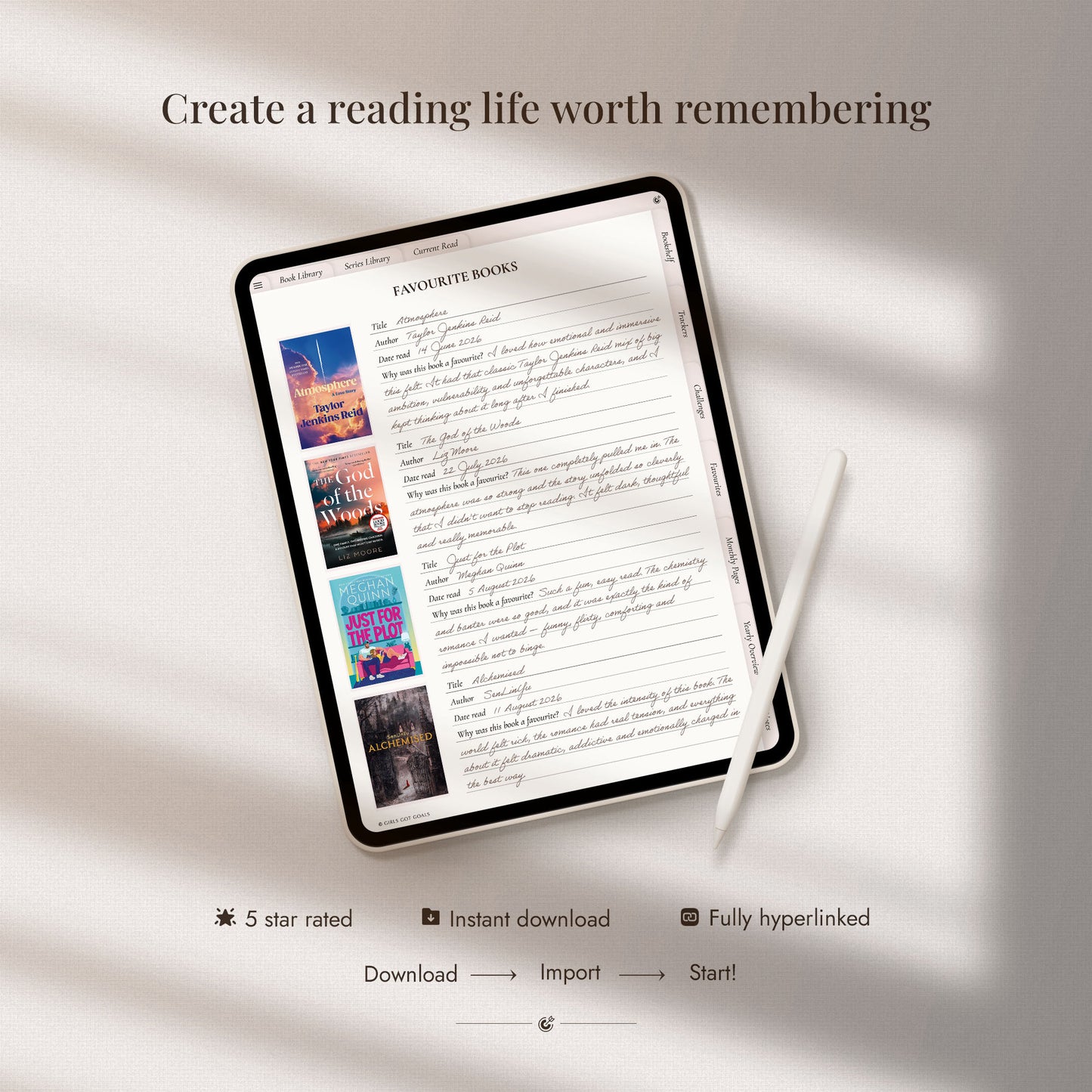
A beautifully organised digital reading journal for keeping every part of your reading life in one place, from the books you want to read and the stories you’re currently enjoying to finished books, favourite quotes, personal ratings and reading goals. Build your own digital library, follow book series, take on reading challenges and look back on each month with thoughtful wrap-ups and reflections.
What you’ll receive
What you’ll receive
- Hyperlinked digital reading journal
- Alternative covers
- Setup and import guide
Compatibility
Compatibility
This journal is optimised for use on an iPad, but is also fully functional on other tablets (Android, Surface Pro, Kindle Scribe), laptops, desktop computers and even smart phones. For the most natural handwriting experience, we recommend using the journal on a tablet with a stylus.
A suitable note-taking app is required. Some of these apps are free, others come at a small one-time fee. The journal works with Goodnotes, Notability, Xodo, Samsung Notes and all other planning apps that support PDF annotation and internal hyperlinks.
A step-by-step setup guide is included with your download to help you import the journal and start using its clickable links.

-
✓ 720 books & 320 series
-
✓ Tracking lists & wrap-ups
-
✓ Reading goals & challenges
Create a reading life as rich as your bookshelf
It’s easy to finish a book, move on to the next and gradually forget the characters, ideas and moments that made it special.
The Digital Reading Journal gives you a beautiful place to record what you’ve read, reflect on what moved you, capture favourite quotes and reflections, follow your reading goals and build a personal history of the books that have stayed with you.
What's inside
-
Reading lists & library
- Book & series library
- Reading wishlist
- Books you own
- Reading log
- Library loans and lending
- New book releases
-
Your reading journey
- Current read
- Digital bookshelf
- Book and series libraries
- Book of the month
- Yearly reading goals
- Yearly wrap-up and reflection
-
Favourites & memories
- Favourite books
- Favourite authors
- Favourite quotes
- Space to record stories and details you want to remember
-
Reading challenges
- Challenges from 10 to 200 books
- A Book a Week
- A Book a Month
- A to Z Challenge
- Genre Challenge
- Challenges from 10 to 200 books
-
Monthly reading
- Monthly reading pages
- Monthly trackers
- Monthly wrap-ups
- Monthly reflections
-
Note sections
- Lined
- Grid
- To-do lists
- Dotted
- Blank
- Lined
Collapsible content
View the complete list of planning templates
Book Trackers
- Reading Wishlist
- Books I Own
- Reading Log
- Finished Books
- Unfinished Books
- Library Book Tracker
- Lending Tracker
- New Book Releases
Favourites
- Favourite Books
- Favourite Authors
- Favourite Quotes
Reading Challenges
- 10 Books Challenge
- 25 Books Challenge
- 50 Books Challenge
- 100 Books Challenge
- 200 Books Challenge
- A Book a Week Challenge
- A Book a Month Challenge
- A to Z Challenge
- Genre Challenge
My Reading Journey
- Current Read
- Bookshelf
- Book Library
- Series Library
- Book of the Month
- Yearly Reading Goals
- Yearly Tracker
- Yearly Wrap-Up
- Yearly Reflection
Monthly Pages
- Monthly Reading
- Monthly Trackers
- Monthly Wrap-Up
- Monthly Reflection
Notes
- Lined
- Narrow-Lined
- Grid
- To-Do Lists
- Dotted
- Blank
-
Optimised for tablets
But fully functional on laptops, desktop & even phones
-
Works with leading apps
Including GoodNotes, Notability, and all similar apps
-
Clickable tabs and buttons
Fully hyperlinked for easy navigation
-
Setup guide included
Step-by-step guide and friendly customer support
Start journaling in minutes
1. Purchase your planner
Complete checkout through the website.
2. Download your files
Access the files from your order confirmation page or delivery email.
3. Import and start planning
Add the planner to your chosen note-taking app and start planning.
Is this the right journal for you?
This journal is ideal for you if you:
✓ Want one beautiful place to organise your entire reading life
✓ Love keeping track of books you own, want to read, have finished or left unfinished
✓ Enjoy recording favourite books, authors, quotes and meaningful reading memories
✓ Want to follow your progress with monthly trackers, wrap-ups and reflections
✓ Like setting yearly reading goals and taking part in fun book challenges
✓ Want an undated journal you can begin whenever you’re ready and continue using at your own pace
What our community is saying
-
★★★★★
Everything a reader could need
This reading journal has everything I need and is one of the best I’ve purchased. It was easy to download and use, and the stickers make it even cuter.
Chiara Barbieri
-
★★★★★
More complete than expected
I searched for a reading journal I genuinely liked, and this one exceeded my expectations. It’s incredibly complete, beautiful and easy to understand and use.
Maria Ramirez
-
★★★★★
Easy to use in Goodnotes
I love this digital reading journal. It was easy to download onto my iPad and import into Goodnotes, and it’s both cute and simple to navigate.
Jennifer
4.9/5 average review rating ★★★★★
Ready to begin your next reading chapter?
Want the complete planning collection?
The Ultimate Planner Bundle brings all of our digital planners together in one beautifully organised collection, perfect if you want the freedom to plan every area of life, or simply prefer having the right planner ready whenever your priorities change.
The Ultimate Digital Planner Bundle
Share

Cute and easy to use!
Love! Love! Love! This reading journal is so cute and has everything I want!
Very user friendly and beautiful reading journal! Love it ☺️
Excellent journal. Really comprehensive. Thanks.
Here when you need us
I’m new to digital planning, where should I start?
You’re in the right place. Our Digital Planning for Absolute Beginners guide walks you through everything you need to know, including choosing a device and app, downloading and importing your planner, using hyperlinks, writing on the pages and adding digital stickers. Read the Digital Planning for Absolute Beginners guide
What device and app do I need to use this digital planner?
You can use the planner on a tablet, laptop, desktop computer or even a smartphone with a compatible PDF annotation or note-taking app. Popular options include Goodnotes, Notability, Xodo, Penly, Noteshelf and Samsung Notes, and all similar apps that support hyperlinked PDF files.
A tablet and stylus offer the most natural handwriting experience, but they are not essential, you can also type directly onto the pages using a computer or mobile device. Your device, stylus and chosen app are not included with the planner.
Can I use this planner with the free version of Goodnotes?
Not currently. The free GoodNotes plan limits imported files to 5 MB, and this planner is larger than that, so you’ll need a paid GoodNotes plan to import and use it there.
There are many free app alternatives. Popular choices include CollaNote (iOS), Kilonotes (iOS), Samsung Notes (Android), and Xodo (iOS, Android, Windows)
How do I download and import the planner after purchase?
Your files will be available as an instant digital download after checkout and will also be sent to the email address used for your order.
A step-by-step setup guide is included to walk you through downloading your files and importing the planner into your chosen app. Most customers are ready to start planning within just a few minutes.
Can I customise, duplicate or print the pages?
Yes. You can personalise the planner with handwriting, typed text, images and digital stickers inside your note-taking app. Most compatible apps also allow you to duplicate, move and delete individual pages so you can make it truly your own.
You can also print the pages for your personal use. Just bear in mind that clickable tabs and hyperlinks are digital features, so they will not function on printed pages.
Can I use the planner on more than one device?
Yes. You can use the planner across your own compatible devices. Many note-taking apps also offer syncing, allowing you to access your planner from more than one device using the same account.
Can I share the planner with someone else?
Your purchase is for personal use, it cannot be shared or redistributed to another person. Anyone else who would like to use the planner will need their own copy.
What if I need help or have a problem with my files?
We’re here to help. Your purchase includes a detailed setup guide, but if anything feels unclear or you have trouble downloading, opening or importing your files, simply contact us and tell us what device and app you are using. We’ll help you work through the issue and get your planner set up so you can start using it as soon as possible.
Need more help? Browse the full set of frequently asked questions in the Help Centre, or contact us for friendly advice.